
Free Minecraft plugin
GokilCrates
Crates where bad luck has a limit, duplicates are still worth something, and an event crate can open and close on its own.
Everything can be set up from inside the game. The crate files stay readable if you would rather edit them by hand.
Try the odds
This uses the prizes and milestones from the included Example Crate, and follows the plugin's order: count the spin, check the milestone, roll by weight, then turn a repeated 1x prize into coins.
| Prize | Weight | Chance | Won |
|---|
Milestones
Set a reward on a spin number and the player gets it when their count reaches it. FORCE makes that spin land on the reward. BONUS keeps the normal roll and adds the reward on top.
A list can run once or start again after the last milestone. Players can see their progress and next reward in the milestone menu, holograms and PlaceholderAPI.
milestones:
  enabled: true
  loop: false
  list:
    "10":
      mode: FORCE
      prize: diamonds
    "50":
      mode: FORCE
      prize: legendary_sword
      broadcast: true
    "100":
      mode: BONUS
broadcast: trueCoin shop
Each crate can have its own coin. A prize marked 1x win is given the first time and becomes coins after that. You can also pay coins for every opening.
The shop sells prizes, your own items or command rewards, with a price, purchase limit and menu slot for each entry.
legendary_sword:
  weight: 5
  one-time: true
  duplicate-coins: 100
  broadcast: true
firework: trueSeasonal crates
A crate can follow a season, weekdays and daily hours, in your chosen timezone. While closed, it stays visible and players can still preview it. Only opening is blocked.
Holograms and menus show a live countdown, and a closed crate can use different particles.
schedule:
  enabled: true
  start: "12-01 00:00"
  end: "01-01 00:00"
  repeat-yearly: true
  days: [FRIDAY, SATURDAY, SUNDAY]
  hours: ["19:00-23:00"]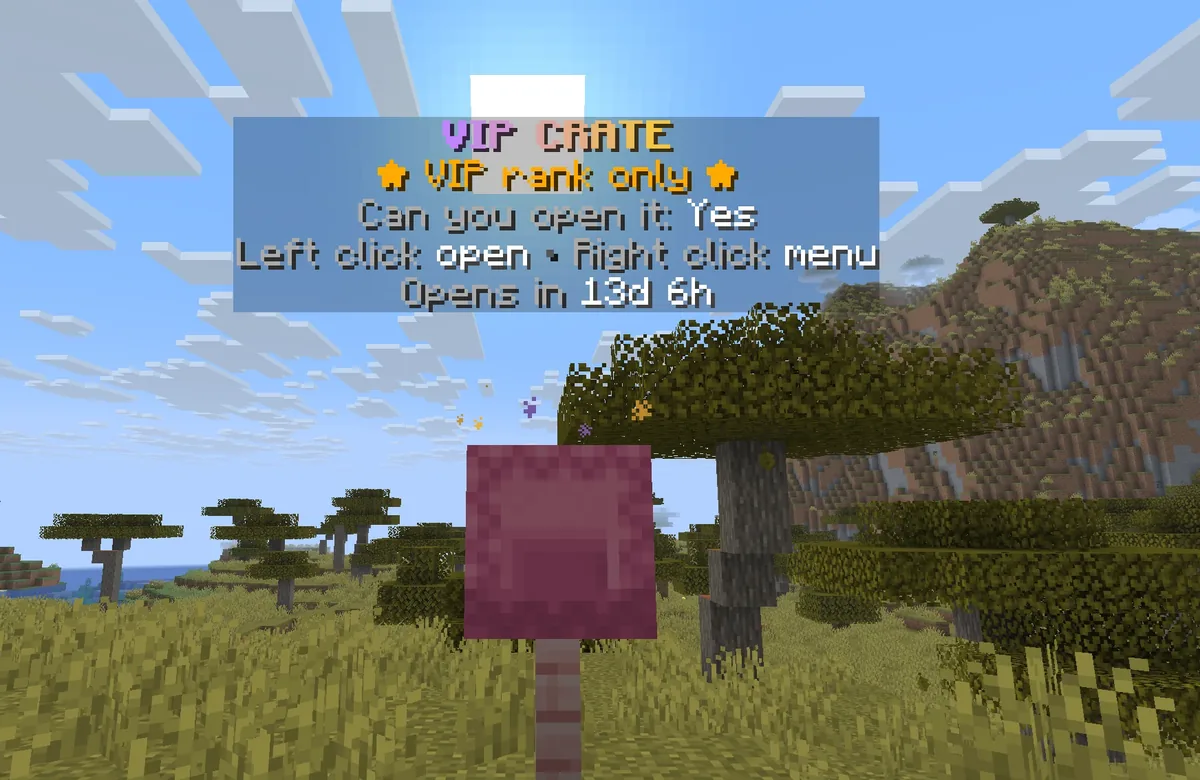
Keys and anti-dupe
Two key types
Choose physical items, virtual balances or both for each crate. Offline players receive physical keys when they join.
Signed serials
In SERIAL mode, each key batch has an HMAC signature and a ledger of how many keys were issued and used.
What happens to copies
Forged keys and keys beyond the batch count are removed, and staff with the alert permission are told.
Storage
YAML needs no setup, SQLite keeps data in one file, and MySQL or MariaDB can be shared between servers.
In-game editor
Run /gcrates editor. Every action is a plain menu click, so it also works through Geyser.
- Crate list Create, reload, global settings and menu layout
- Crate Name, animation, key item, icon, hologram, permission and timing
- Prizes Drag in an item or type a command, then set weight, 1x win, messages and rewards
- Milestones Pick a prize, drag in an item or use commands
- Shop Price, purchase limit, slot, icon and reward
- Seasonal timer Season, yearly repeat, weekdays and hours
- Particles Effect, colours, size, speed, radius and live preview
Openings and effects
CSGO
A row of prizes scrolls and slows down.
Wheel
A highlight runs around a ring of prizes.
Roulette
One slot changes until it lands.
Instant
The prize is given right away.
22 ambient effects
HALODOUBLE_HELIXSPIRALVORTEXORBITPULSE_RINGFIREFLIESSNOWFALLCHRISTMASSTARDUSTFLAME_CROWNSOUL_FLAMEHEARTSENCHANT_RUNESAURORACRYSTALRAINBOWVOIDCHERRYMUSICSPARKLESLEEP
8 opening bursts
TOTEMFIREWORKSTARSNOWHEARTFLAMEMAGICCHRISTMAS
Setup
- Download the jar, put it in
plugins, and start the server. - Run
/gcrates editor. EditExampleCrateor create your own. - Look at a block and run
/gcrates set ExampleCrate. - Give a key with
/gcrates give virtual ExampleCrate 1 YourName.
Optional: PlaceholderAPI, DecentHolograms, Nexo and MythicMobs.
Server status
| Server | Status | Notes |
|---|---|---|
| Leaf 26.2 | Tested | Automated checks plus a connected test client that receives keys, opens crates, mass opens and reloads. |
| Paper | Tested | Uses MiniMessage for colours and gradients. |
| Spigot, CraftBukkit | Tested | These servers have no MiniMessage, so colours and gradients use the built-in reader. |
| Folia | Tested | Same jar. Work runs on region and global schedulers, and holograms show the same text to everyone. |
Reference
Commands
/gcrates give <physical|virtual> <crate> <amount> <player|all> [-s] | Give keys. -s keeps it silent. |
|---|---|
/gcrates take <physical|virtual> <crate> <amount> <player> [-s] | Take keys. |
/gcrates keys [player] | Show key balances. |
/gcrates open <crate> [player] [-f] | Open a crate. -f skips the key. |
/gcrates massopen <crate> <amount> [player] | Open many at once. |
/gcrates preview|milestones|shop <crate> [player] | Open one of the crate menus. |
/gcrates menu [player] | Open the crate list. |
/gcrates set <crate> | Turn the block you look at into a crate. |
/gcrates remove | Remove the crate block you look at. |
/gcrates coins <give|take|set|check> <player> <crate> [amount] | Manage shop coins. |
/gcrates spins <set|reset|check> <player> <crate> [amount] | Manage milestone progress. |
/gcrates owned reset <player> <crate> | Reset 1x wins and shop limits. |
/gcrates schedule <crate> [...] | Change the seasonal timer. |
/gcrates particles list | List the premade effects. |
/gcrates particles <crate> [...] | Change or preview a crate's particles. |
/gcrates editor [crate] | Open the editor. |
/gcrates list | List crates. |
/gcrates reload | Reload config, messages, menus and crates. |
/crates | Player command: open the crate list. |
Permissions
| Node | Default | Allows |
|---|---|---|
gokilcrates.use | everyone | /crates and crate blocks |
gokilcrates.open.<crate> | everyone | Open that crate. Negate it to lock one crate for a group. |
gokilcrates.open.* | everyone | Open every crate |
gokilcrates.admin | op | All admin commands and the editor |
gokilcrates.command.<sub> | op | One admin command, such as gokilcrates.command.give |
gokilcrates.command.* | op | Every admin command |
gokilcrates.alerts | op | Anti-dupe alerts |
PlaceholderAPI
Format: %gokilcrates_<key>_<crate>%
keysvirtual_keysphysical_keyscoinscurrencycurrency_singularspinsprogress_spinsopenednext_milestonenext_milestone_innext_milestone_rewardownedprizescratestatuscountdownschedule_lineopens_incloses_inseason_startseason_endopen_hoursopen_daysaccesspermissionrank_crate
Also: %gokilcrates_total_opened%, %gokilcrates_rank_crates%, %gokilcrates_rank_crates_max% and %gokilcrates_rank_crates_list%.